Universal Tv Remote-Cast to TV
One Music PlayerHouse & Home
4.11.13K Reviews
- Version
- 7.0.2
- Installs
- 50.00M
- Age Rating
- Everyone
Screenshots
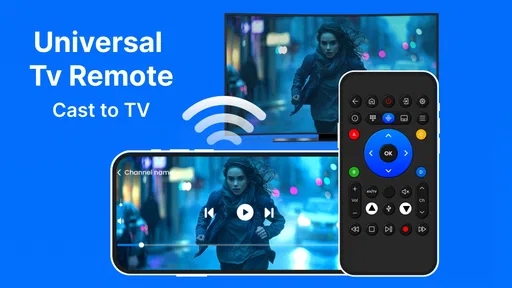
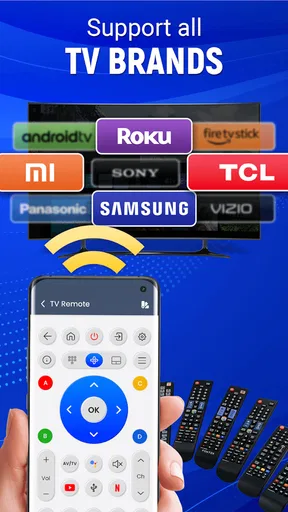
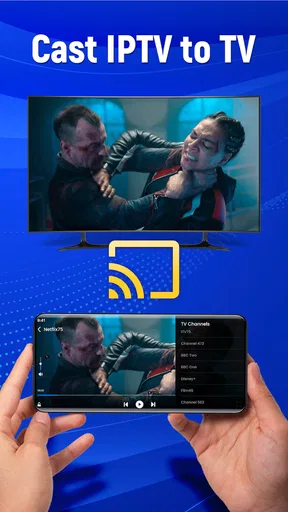
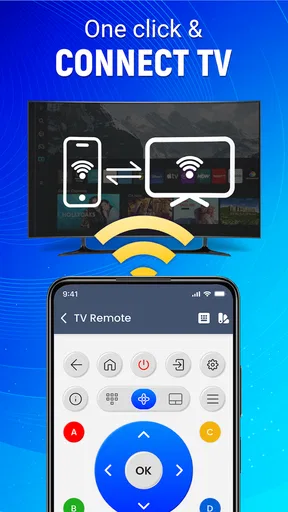
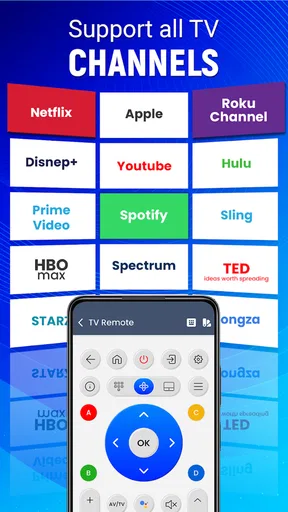
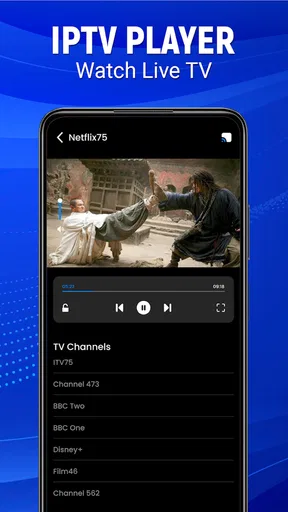
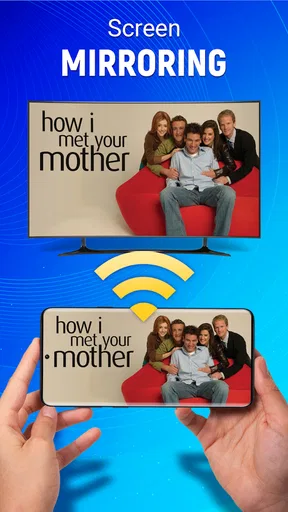
Our Review of Universal Tv Remote-Cast to TV
 Analysis by Appyee
I like the idea behind Universal TV Remote-Cast to TV: one phone can be more convenient than searching for a remote that has slipped between the sofa cushions. In everyday use, though, a phone remote is most valuable as a backup and a way to reduce clutter, not as a guaranteed replacement for every physical controller. This app is worth considering if you want TV controls and casting gathered in one place, provided your particular television works well with it.
That distinction matters because “universal” does not mean every setup behaves identically. A remote app depends on the relationship between the phone, the TV, and the home network, and casting is a separate task from sending ordinary remote commands. I’d approach it as a practical convenience to test with the television you actually own, rather than assume it will make every screen in the home respond perfectly.
A phone remote is most useful when the original is missing
The strongest case for a virtual remote is an ordinary annoyance: the TV is on, the remote is nowhere to be found, and you only want to pause a programme or adjust the sound. Keeping controls on a phone you already carry can save that search. It can also be handy in a guest room, shared living space, or rental where you would rather not keep track of another small device.
There is a useful trade-off here. A physical remote is ready to use without unlocking a phone or opening an app; a phone is easier to keep nearby but introduces those extra steps. If you often make quick adjustments while watching, I would keep the original remote within reach until I knew the app was dependable with my TV. For occasional use, the phone can be a sensible fallback even if it never replaces the original completely.
What to check before relying on it
Start with the basics rather than troubleshooting blindly: check that the phone and television are connected to the same home Wi-Fi network, then see whether the app can find the screen. If discovery fails, confirm that the TV is awake and connected to the network before repeatedly reopening the app. A phone on guest Wi-Fi and a TV on the main network may be unable to see one another, even when both appear to have internet access.
It is also worth testing the controls you genuinely use, not merely whether the app connects. Try volume, navigation, and input switching while the television is on, then check whether the controls remain responsive after you move to another room or return to the app later. That quick trial tells you more than a successful first connection: it reveals whether this will work for your viewing habits or only for a narrow set of commands.
Casting deserves its own small test. A remote command and sending media from a phone are different jobs, so I would try a short, unimportant clip before planning a movie night around it. That helps separate a network or casting hiccup from a remote-control problem. For family photos, it can be a convenient way to put something on a larger screen; for a long film or a presentation where reliability is essential, I would have a familiar alternative ready.
Everyday controls and the experience
In its House & Home category, Universal TV Remote-Cast to TV is aimed at a very specific household task rather than general smart-home management. One Music Player develops it, and its stated focus is controlling televisions and casting to compatible screens. That narrow purpose is useful: people looking for a TV-focused tool do not have to treat it as a broader home-control system.
The app is free to install and is rated for Everyone. It has a 4.2 average from around 80,000 ratings, with over 10 million installs. Those figures suggest that many people have tried it, but popularity cannot tell you whether it supports your exact television or network arrangement. I would treat them as context, not a substitute for checking compatibility at home.
Features That Make Life Easy
Let’s talk features. This app isn’t just about changing channels. You can control the volume, switch inputs, and even cast media from your phone to the TV. Imagine showing off your vacation photos or watching a video clip without all the fuss. It’s like having a magic wand for your TV.
One feature that stood out to me was the voice control. Yes, you heard it right. You can actually speak to your app, and it will obey. "Turn up the volume," I said, and just like that, it did. This is one of those moments where you feel like you’re living in the future.
Voice commands are most useful when your hands are occupied or you want a quick adjustment without hunting through on-screen controls. I would still keep the normal buttons in mind for a quiet room, a complicated menu, or a command that needs precise selection. Speaking can feel effortless when it works, but it is not automatically the best option in every setting; the practical test is whether it recognizes the commands you use and behaves consistently with your television.
User Experience: Smooth as Butter
Now, let's chat about the user experience. Navigating through the app is smoother than a hot knife through butter. The buttons are well placed, and the response time is impressive. There’s no awkward lag, which is crucial when you’re in the middle of a dramatic scene and need to pause quickly.
The app supports a wide range of TV brands – more than I can count on my fingers and toes combined. Whether you’re a Samsung, LG, or Sony fan, this app has you covered.
Even with a wide brand range, brand name alone is not a promise that every model or feature will behave the same way. A useful way to judge the experience is to test a few commands you rely on—especially inputs and volume—before putting the original remote away. If only basic controls work, that may still be enough as a spare, but it may not suit someone who frequently navigates detailed television menus.
A realistic routine shows where the app makes sense. You sit down to watch something, notice the remote is in another room, and use your phone to lower the volume or pause while someone answers the door. Later, you want to share a photo from the phone, so casting becomes useful for a different reason. These are small wins rather than dramatic changes, and that is exactly how I would measure a utility like this: does it remove friction from familiar moments without adding a new chore?
"I didn’t realize how much I needed this app until I used it."
When another option is better
If your TV’s own remote is reliable and always close by, installing a second control may not improve your routine. The manufacturer’s remote or its own companion software can be a better fit when you need model-specific functions, detailed settings, or controls that a general-purpose remote may not expose. Likewise, if you prefer dedicated buttons and instant access, a physical remote remains simpler than unlocking a phone and switching apps.
For households with several televisions, I would test each screen individually instead of assuming that success with one means success with all. Different network arrangements and TV models can make a practical difference. If a screen is not found, or a key control is missing, relying on the television’s own remote is the more sensible choice than repeatedly trying to force a setup that does not suit your home.
The app is currently at version 7.0.1 and runs on Android 6.0 or later. It is free, with optional in-app purchases ranging from $0.99 to $99.99 per item. I would check the purchase choices inside the app before committing to anything, and decide whether the free experience already covers the controls I need. That is especially sensible for a utility whose value depends on compatibility with one’s own TV.
Final Thoughts: Is It Worth It?
So, is Universal TV Remote-Cast to TV worth the download? In my opinion, absolutely. It’s a small app that packs a massive punch. The convenience of controlling my TV with my phone is something I didn’t know I needed until I had it.
Whether you’re tired of juggling multiple remotes or just want to impress your friends with some cool tech wizardry, this app is a no-brainer. Go ahead, give it a try, and transform the way you interact with your TV forever. You can thank me later.
My recommendation is a little more specific: try it if you want a convenient backup, occasionally cast personal media, or dislike keeping several remotes close at hand. Give the connection and your most-used controls a proper test before depending on it. Skip it if you need guaranteed access to every television function, dislike controlling devices from a phone, or already find your regular remote easier. That modest expectation makes this kind of app far more useful—and avoids mistaking convenience for a universal fix.
Privacy and Permissions
See what permissions an app requests and how it handles your data.
- Photos/Media/Files
- read the contents of your USB storage, modify or delete the contents of your USB storage
- Storage
- read the contents of your USB storage, modify or delete the contents of your USB storage
- Microphone
- record audio
- Wi-Fi connection information
- view Wi-Fi connections
- Other
- view network connections, allow Wi-Fi Multicast reception, measure app storage space, full network access, control vibration, prevent device from sleeping, Google Play license check, read Google service configuration
Verdict
Strengths of Universal Tv Remote-Cast to TV
- Easy setup with most TV brands.
- User-friendly interface for quick access.
- Supports multiple devices simultaneously.
- Customizable remote layout options.
- Includes voice command feature.
Limitations of Universal Tv Remote-Cast to TV
- Ads can be intrusive during use.
- Limited compatibility with older TVs.
- Requires stable Wi-Fi connection.
- Some features locked behind a paywall.
- Occasional lag in remote response.
Other Releases by One Music Player
View All
HD Camera for Android
Beauty4.5

Smart Watch - Clock Wallpaper
Personalization4.6

AirTag Scan: Bluetooth Tracker
Tools4.5

AI Music & Song Generator
Music & Audio4.6
Similar Picks in This Category
View All
Universal TV Remote Control
CodeMatics Media Solutions3.9

AlfredCamera Home Security app
Alfred Systems Inc.4.7

Planner 5D: AI Home Design
Planner 5D4.5

Zillow: Homes for Sale & Rent
Zillow Group4.8

99acres Buy/Rent/Sell Property
infoedge.com4.3

Urban Company: InstaHelp &more
Urban Company4.8
Frequently Asked Questions
What devices are compatible with Universal TV Remote-Cast to TV?
Universal TV Remote-Cast to TV is compatible with most smart TVs, including those from popular brands like Samsung, LG, Sony, and more. It also works with streaming devices such as Roku and Amazon Fire Stick. Ensure your device supports casting and is connected to the same Wi-Fi network as your smartphone.
How do I set up Universal TV Remote-Cast to TV on my device?
Setting up Universal TV Remote-Cast to TV is straightforward. First, download and install the app from the App Store or Google Play. Then, ensure your TV and smartphone are on the same Wi-Fi network. Launch the app, select your TV from the list, and follow the on-screen instructions to pair your devices.
Does Universal TV Remote-Cast to TV require any additional hardware?
No additional hardware is needed to use Universal TV Remote-Cast to TV. As long as your TV supports Wi-Fi connectivity and casting, you can use the app directly from your smartphone. Make sure both your TV and smartphone are connected to the same Wi-Fi network for seamless functionality.
Are there any subscription fees for using Universal TV Remote-Cast to TV?
Universal TV Remote-Cast to TV is free to download and use. However, some advanced features might require in-app purchases or a subscription. Check the app's description in the App Store or Google Play for detailed information on any premium features and their costs.
What features does Universal TV Remote-Cast to TV offer?
Universal TV Remote-Cast to TV offers a range of features including controlling volume, changing channels, casting media from your phone, and more. It transforms your smartphone into a universal remote, making it easier to manage your entertainment setup. Some features might vary based on your TV brand and model.
